






Transforming a Branch-Assisted Process into a Guided Digital Experience
not create barriers to it."
The Friction of Branch-Assisted Onboarding
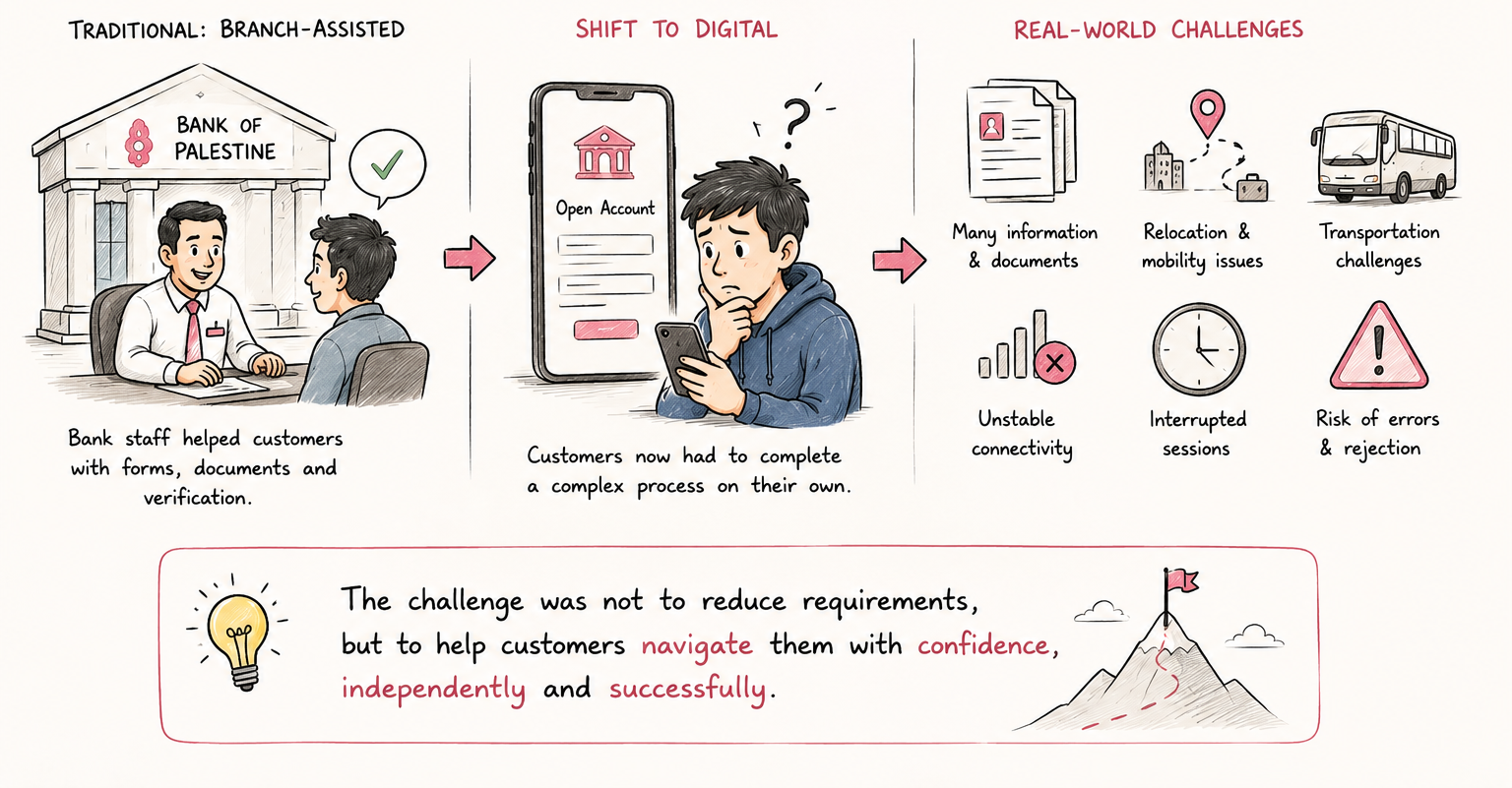
Opening a bank account has traditionally been a branch-assisted experience. Customers relied on bank representatives to explain requirements, verify documents, correct mistakes, and guide them through mandatory compliance procedures. While this approach helped ensure security and regulatory compliance, it also meant that much of the onboarding complexity was absorbed by bank staff rather than the customer.
As Bank of Palestine expanded its digital services, the onboarding process was moved online. However, the experience largely replicated the existing banking workflow instead of adapting it for self-service use.
Mapping Steps to Find Friction
To understand where friction existed, I analyzed the existing onboarding journey and mapped the steps customers needed to complete before opening an account. The review revealed that the experience was designed around internal banking processes rather than customer understanding. While each step served a valid operational or compliance purpose, the overall journey felt lengthy, fragmented, and difficult to navigate independently.
Information Overload
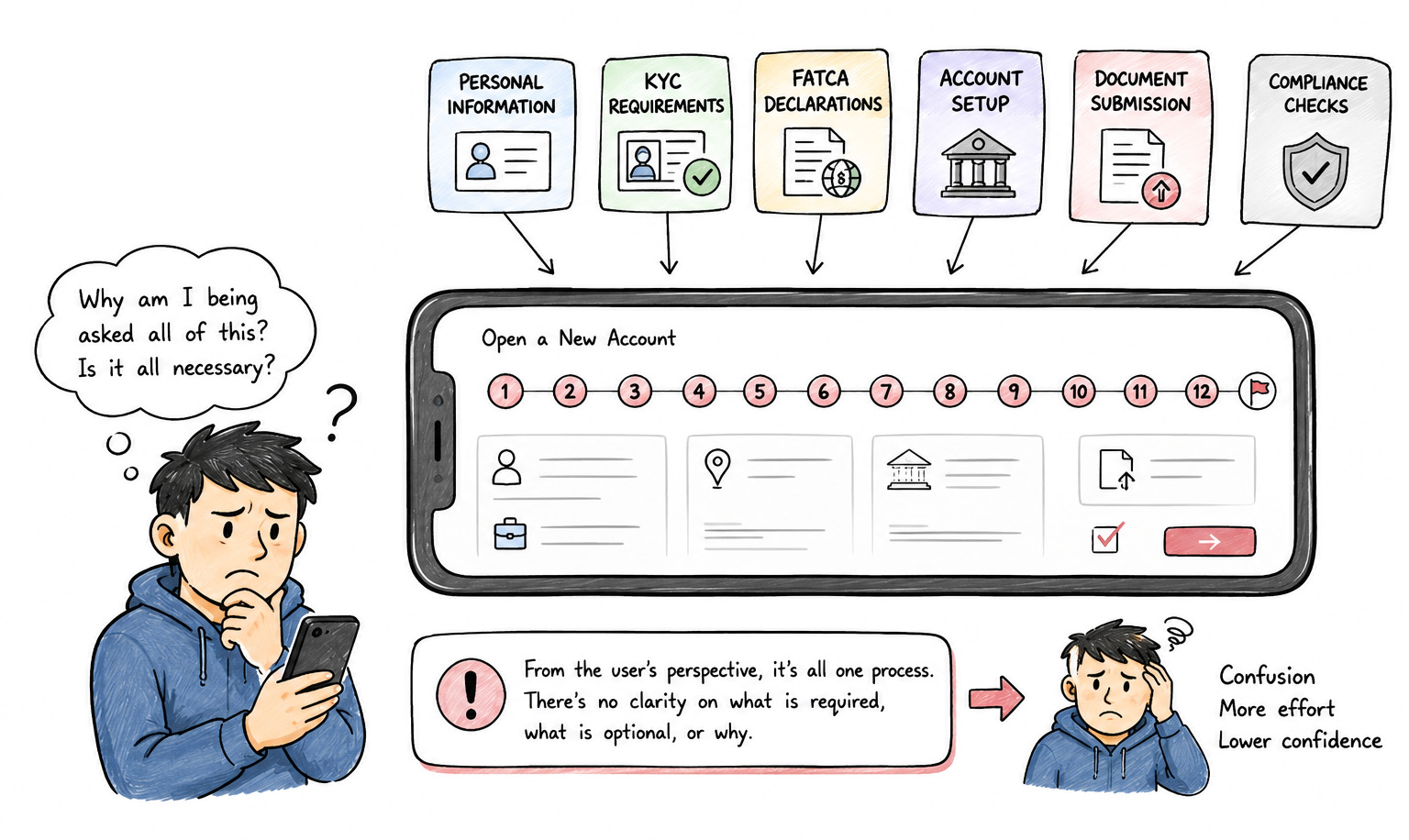
The onboarding process consisted of 12 individual steps presented with equal visual importance. Customers were required to move through multiple screens without a clear understanding of how the information was organized or how much effort remained.
Compliance Hidden Inside the Journey
The onboarding flow combined multiple banking requirements into a single experience. Personal information, compliance questions, account preferences, and document uploads were presented as one continuous flow. From a customer's perspective, it was difficult to understand why certain information was being requested or which sections were legally required.
A Digital Version of a Paper Form
The experience focused on collecting information rather than guiding users through account opening. Customers moved from one form screen to another, entering details and uploading documents without receiving much contextual guidance. The system successfully gathered information but provided limited support for completing the journey.

Expectation vs Reality
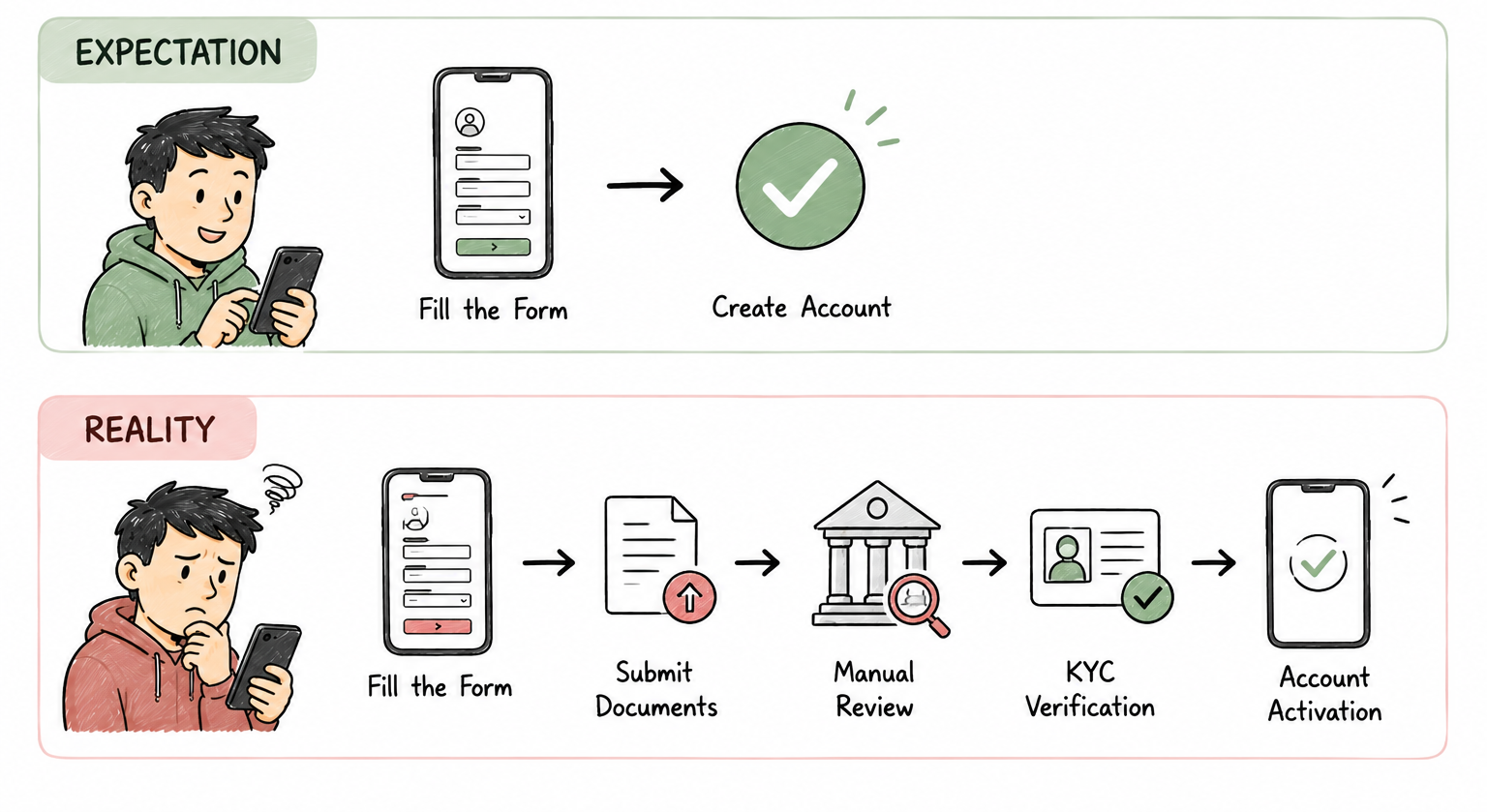
Many users assumed account creation happened immediately after submission, while the actual process involved document reviews, verification, compliance checks, and activation.
Key Insights & Opportunity Areas
Key Research Insights
- 1. Complexity Was Necessary Opening a bank account required KYC verification, document validation, compliance checks, and security reviews. These requirements could not be removed without compromising regulatory obligations.
- 2. The Experience Was Process-Centric The onboarding flow reflected how the bank collected information internally rather than how customers understood account opening.
- 3. Missing Guidance Loop In branches, staff explained requirements, corrected mistakes, and answered questions. The digital experience transferred responsibilities to customers without providing equivalent support.
- 4. Mismatched Expectations Customers assumed submitting an application meant opening an account. The actual process involved document reviews, verification, compliance checks, and activation.
Opportunity Areas
- Reduce Perceived Complexity Help users understand progress and effort through organized, phase-based progression.
- Provide Guidance Throughout the Journey Replace branch assistance with smart, contextual explanations directly in the fields.
- Improve Transparency Make banking verification, backend delays, and manual review stages visible and understandable.
- Support Real-World Completion Design for multi-session completion, allowing users to save progress and return when documents are ready.
Mapping the Onboarding Journey
Before redesigning the experience, I mapped the complete onboarding workflow to understand how customer actions, compliance requirements, verification steps, and backend banking processes interacted with each other. Below is the system flow mapping.
01 / Start Onboarding & Credentials
Introduce clear guidelines explaining what documents will be required during the onboarding session, setting proper user expectations and reducing drop-offs.
COMPLIANCE: geo-restrictions warning and ID checks mandatory before form launch.02 / Residency & Contact Verification
Background IP and cellular network geolocation checks automatically separate domestic citizens from foreign residents early in the journey.
COMPLIANCE: AML rules require verified cellular/email node bound to account.03 / Identity Lookup & Registry Match
Asynchronous backend connection querying MoI government database in under 2 seconds. Reassurance loaders prevent user exit.
COMPLIANCE: Registers that the input national ID card matches government MoI files.04 / OCR ID Document Scan
On-device image OCR parsing captures text in real-time. Auto-exposure filters resolve low-light legibility issues.
COMPLIANCE: Archiving unedited photo files of physical cards linked to customer ledger.05 / Liveness Check & Biometrics
Interactive camera prompts (blink/turn indicators) with real-time feedback guide perfect face framing.
COMPLIANCE: Liveness proof is mandatory to avoid spoofing and identity theft.06 / Selfie Verification & Account Vault
Direct pixel comparison between OCR document image, registry profile photo, and live selfie check.
COMPLIANCE: Match check is required to ensure the owner of the document is the applicant.Exception 3B: Foreign Passport
FATCA, CRS declarations are triggered. Users scan passport pages instead of local IDs, queued for manual review.
Exception 4C: Registry Fail
Unmatched records block digital creation. Show local branch map with queue reservations to avoid long physical wait times.
Exception 6B: Selfie Mismatch
If automated comparison scores fall below a strict threshold, launch an in-app secure video call fallback with a live agent.
Redesigning the Information Architecture
The onboarding journey contained multiple compliance requirements, verification steps, and account setup tasks that were presented as individual steps with little structure. While the information being collected was necessary, the way it was organized made the process feel longer and more complex than it actually was.
KYC Phase Restructuring (5 Core Phases)
Checks eligibility against national blacklists and verifies if the user already holds active accounts immediately upon contact registration.
Captures national ID card details via OCR scan and executes blink/liveness biometric checking to prevent identity theft.
Gathers residential addresses, nominee structures, PEP declarations, and income sources to establish full audit profiles.
Provisions account routing numbers, configures ledger profiles, and establishes the user's secure digital vault.
Configures mobile services access and completes draws to legally sign off on the onboarding ledger.
Guided Customer Journeys for Complex Audits
The audit revealed that the challenge was not the number of requirements users had to complete, but how those requirements were presented. Banking regulations, identity verification, and compliance checks were essential parts of the onboarding process and could not be removed.
Instead of simplifying the requirements themselves, the redesign focused on simplifying the experience of completing them. The goal was to transform onboarding from a bank-centric workflow into a guided customer journey that felt structured, transparent, and achievable. Finally, the product should encourage continuous learning rather than one-time interactions.
First Rejected Draft
Our first approach focused on creating a unified onboarding experience by reducing the number of visible steps and consolidating multiple processes into a single streamlined flow. The idea was to make account opening feel faster and more modern by minimizing transitions between screens and presenting onboarding as one continuous journey.
The unified approach also introduced operational challenges. Certain verification activities depended on information collected earlier in the journey, while some compliance requirements required separate handling, review processes, and exception scenarios.
Designing for Confidence and Transparency
Reduce Perceived Complexity
The existing experience presented onboarding as a long sequence of independent steps. By organizing related tasks into meaningful phases, users could focus on one objective at a time rather than the entire process.
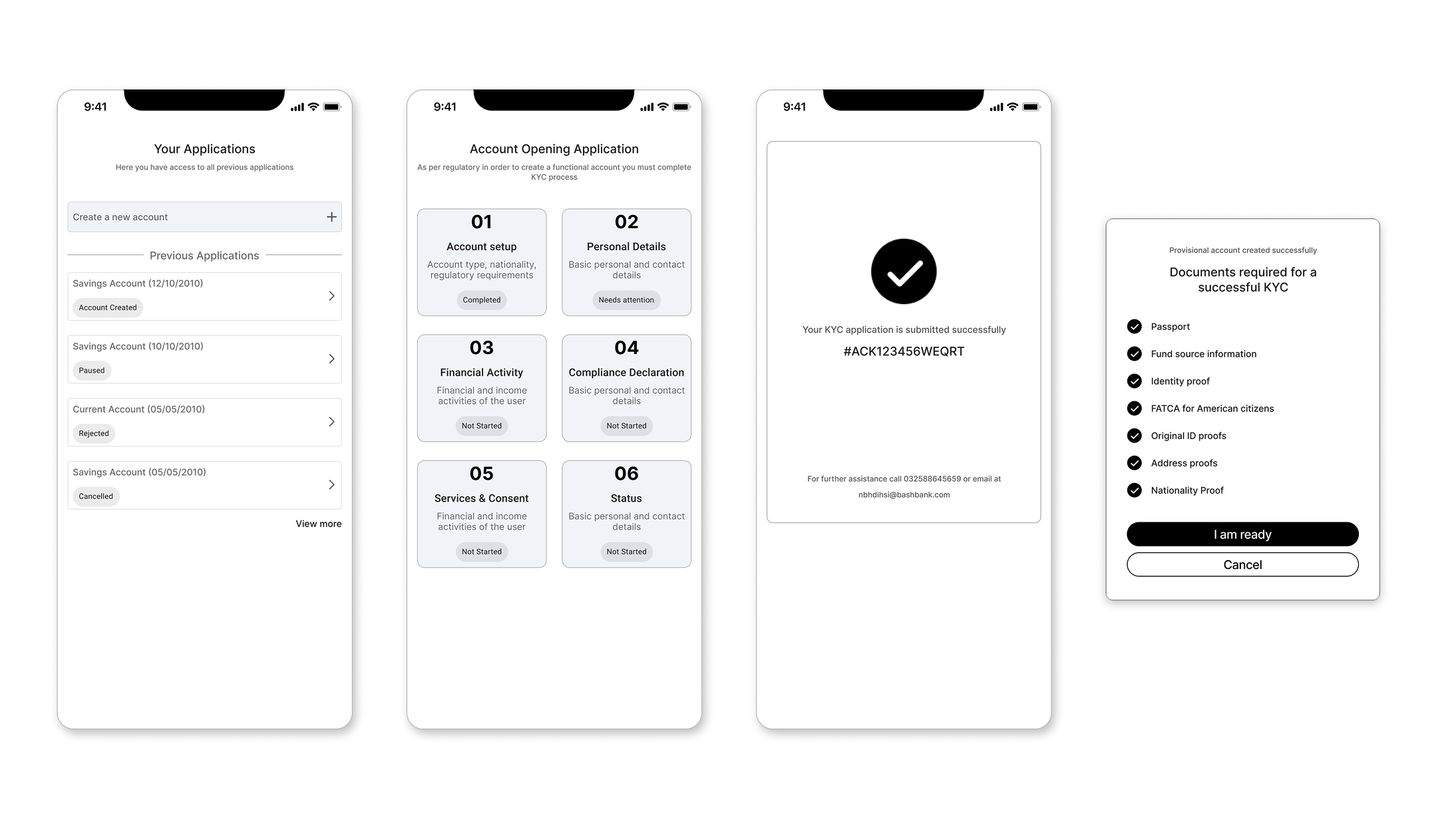
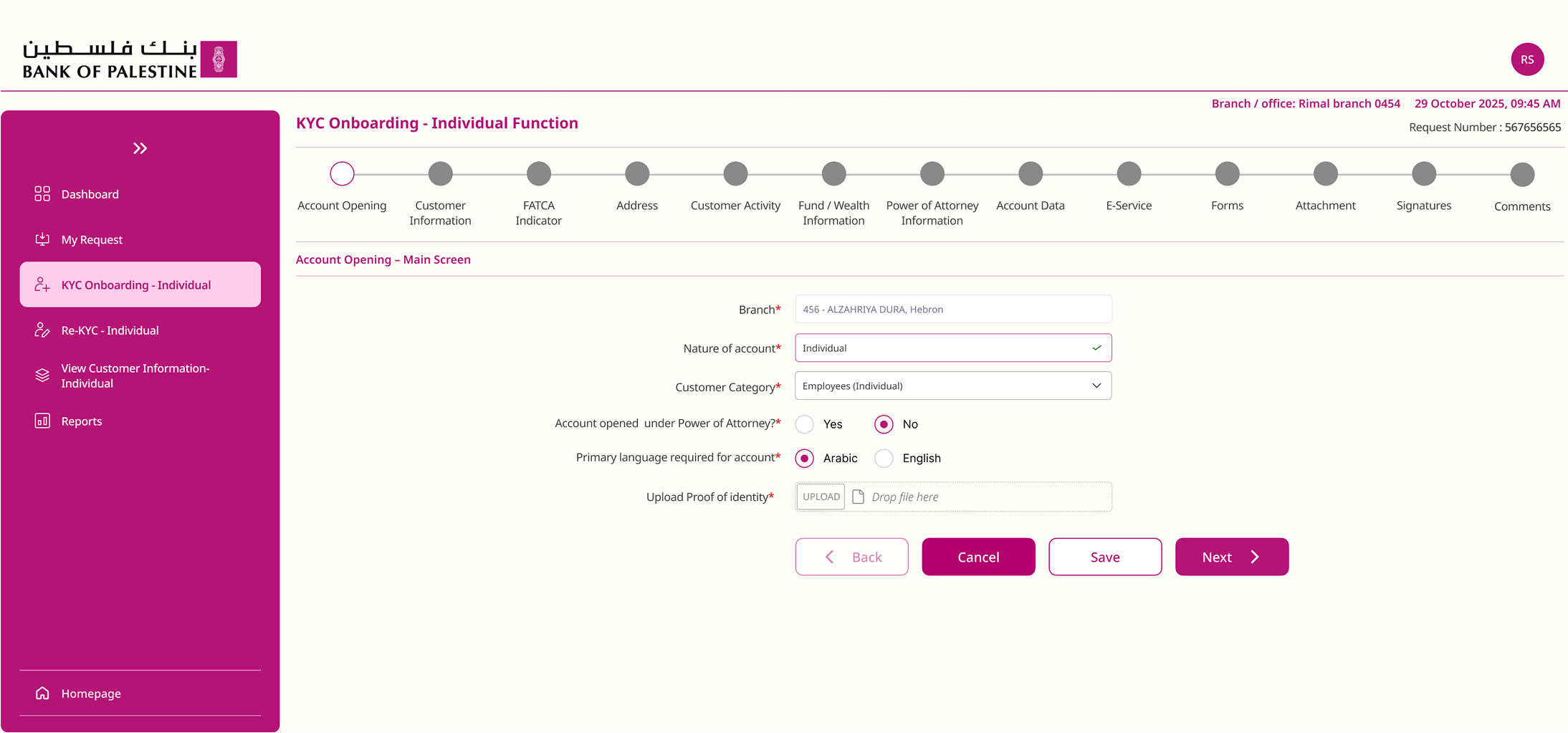
We had multiple ways to go forward including a multi-stepper form, but that gets affected if people leave the process midway and can cause confusions.
Replace Branch Guidance Digitally
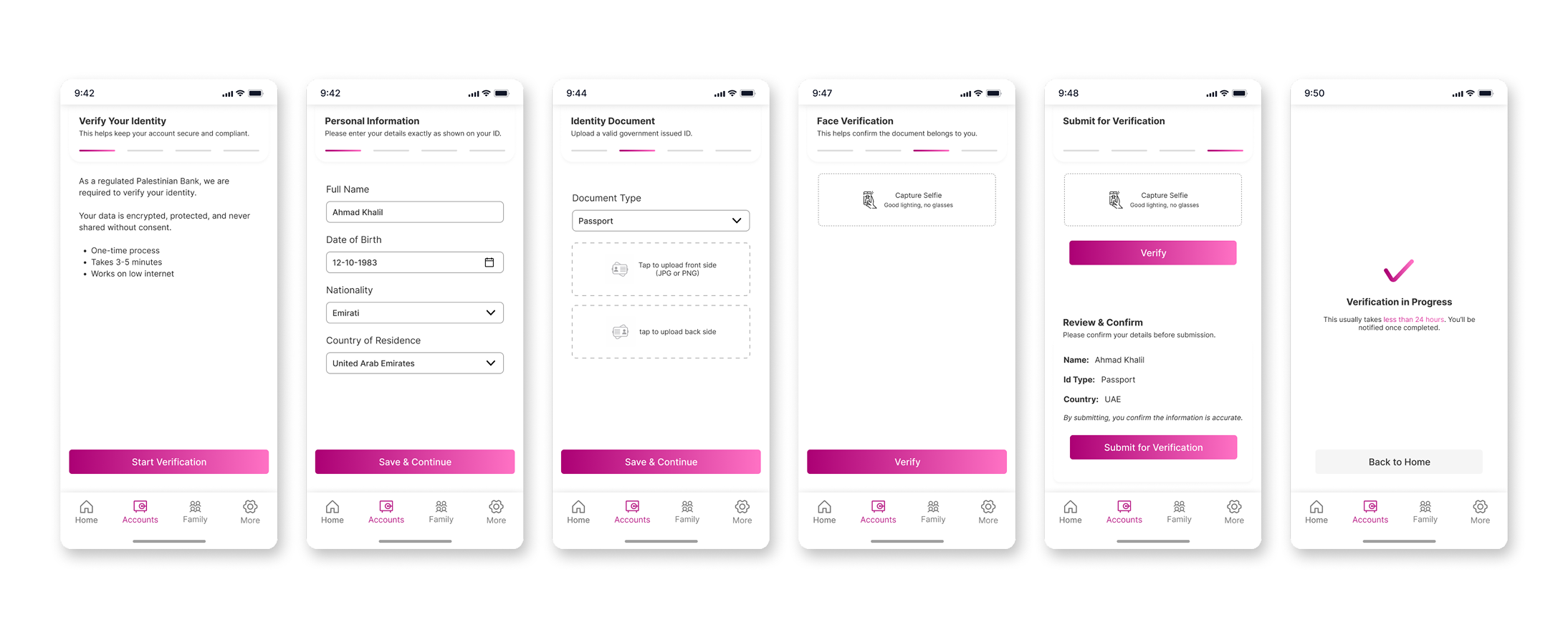
Customers previously relied on branch staff to explain requirements, answer questions, and help them complete forms. The redesigned experience provides guidance directly within the interface through contextual explanations, progress indicators, and clear next steps. Complex processes and documents are explained to the user, and updates are notified immediately to maintain a smooth workflow.

Make Banking Processes Transparent
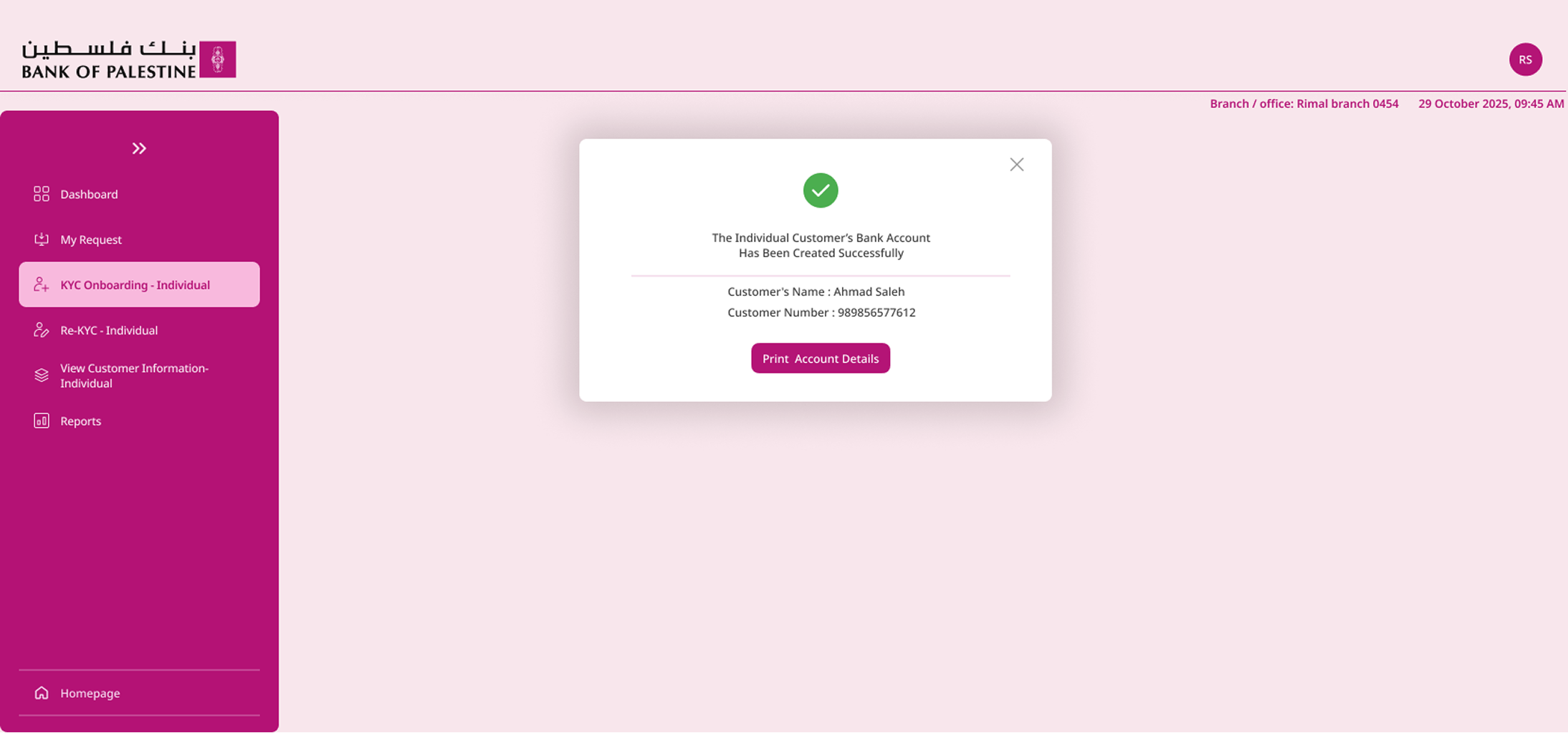
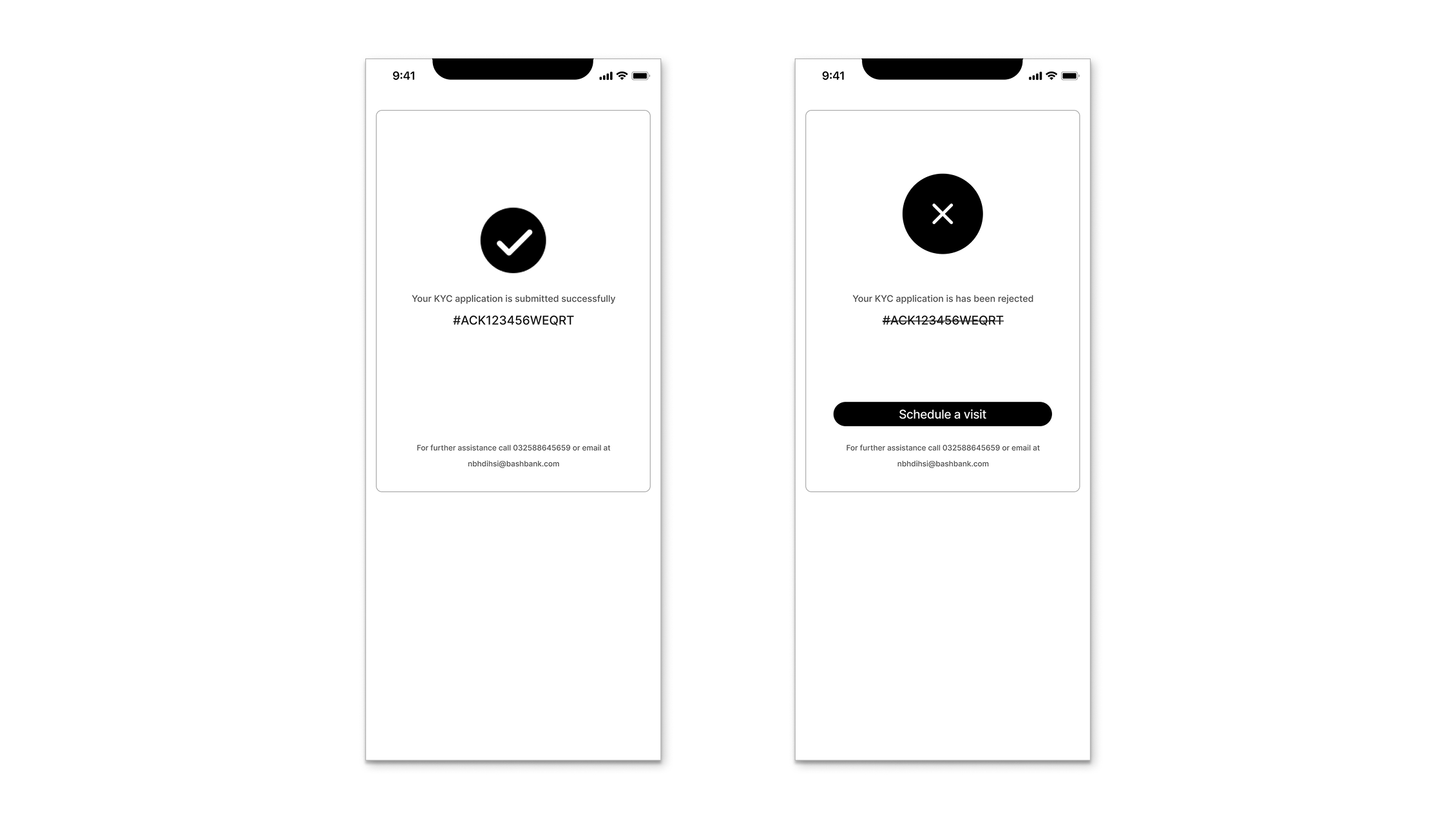
Many users assumed account creation happened immediately after submission, while the actual process involved reviews and verification. The redesign aimed to make every stage visible, helping users understand what was happening and what to expect next.
By introducing clear in-app status tracking, users no longer guess their verification state. If an automatic check requires manual bank agent review:
- Users are notified of the exact document being verified.
- An expected activation timeline is clearly shown.
- Immediate, clickable fallbacks (like a secure in-app video call) are offered if validation fails, keeping the user in the digital stream.
The Hard Choices: Security vs. Seamless Flow
Balancing national banking regulations with a friction-free, customer-facing self-service app required key compromises:
Maintaining Manual Exceptions
We compromised by preserving manual approval loops for Jerusalem IDs and foreign passports. While this prevented 100% digital automation, it guaranteed compliance with strict international banking audits.
Slow Government Registry Latency
Direct sync queries with governmental MoI databases frequently experienced heavy latency. Instead of loading spinners that blocked actions, we allowed the UI to asynchronously poll in the background while the user completed secondary profile forms.
Maintains absolute regulatory compliance while providing a smooth, asynchronous digital journey.
Validating the Solution
After redesigning the onboarding experience, the solution was evaluated against the challenges identified during the audit. The objective was to determine whether the new structure successfully addressed the complexity, uncertainty, and guidance gaps present in the original experience.
Rather than focusing on reducing regulatory requirements, the validation focused on improving how users experienced those requirements throughout the journey.
Reflection & Learnings
This project began with what seemed like a straightforward objective: digitize the account opening experience and reduce dependence on branch visits. However, as I explored the onboarding journey, I realized that the challenge was far more complex than redesigning forms or reducing the number of steps.
One of the biggest learnings was that complexity and friction are not the same thing. Banking onboarding is inherently complex because of regulatory requirements, identity verification, security checks, and compliance obligations. These requirements could not simply be removed or hidden. The real challenge was helping users understand and navigate that complexity without feeling overwhelmed.
It helps users navigate it with confidence.